
How to Make an Android App for Your Business Without Coding
What to decide before you build an app for your shop, clinic or coaching centre, what it costs, and how it gets onto Google Play, using AppCub.
Imran Choudhary · · 7 min read
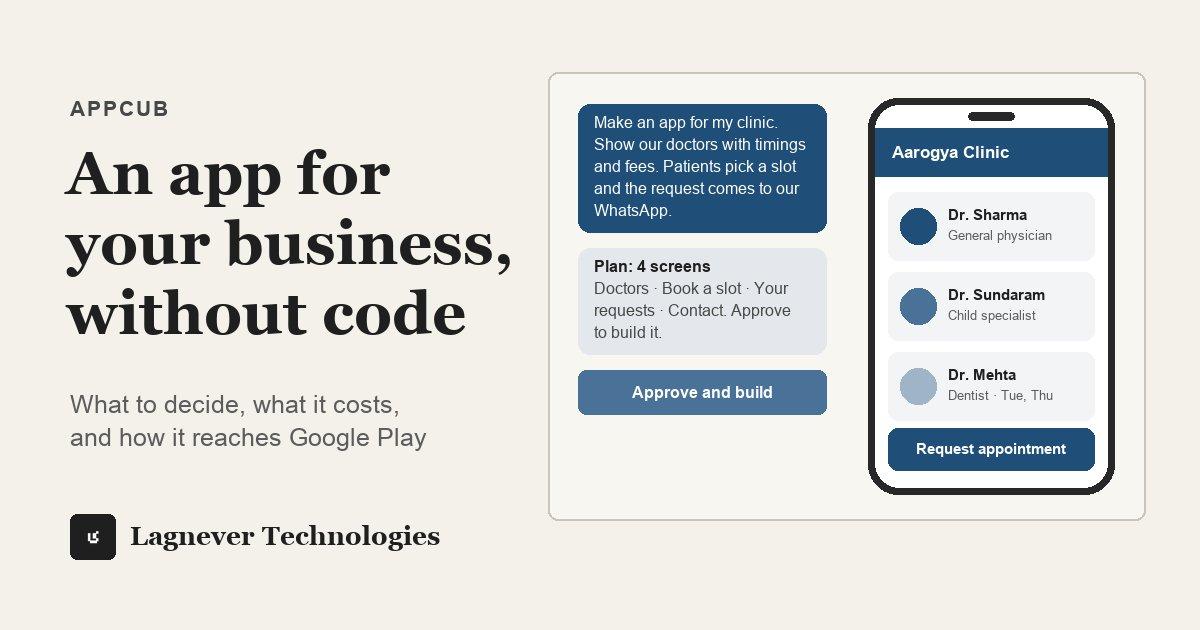
If you run a shop, a clinic or a coaching centre, you have probably thought about an app and dropped the idea. An app meant finding a developer, explaining everything twice, paying in advance and waiting for a first version.
That is no longer the only way. With AppCub, you describe the app in a chat, in English, Hindi or Hinglish, and get an Android app with your business name on it. AppCub opens to everyone on 18 October 2026, and you can join the waitlist until then.
This article is for owners who have never built an app. It covers what to decide before you start, what the process looks like, what it costs and how the app reaches Google Play.
Step 1: Write down what the app is for
Before you open AppCub, write five or six lines on paper. Who will use the app: you, your staff or your customers? What are the three or four things it must do? What should happen to the information people enter?
A good description reads like you are explaining the app to a new employee. Here is one for a tiffin service:
Make an app for my tiffin service, Annapurna Tiffins in Pune. Show the weekly menu with veg and non-veg options and prices. Customers choose a weekly or monthly plan, enter their name, phone and address, and the order is sent to our WhatsApp. Give customers a button to skip a day. Orange and white colours.
You do not need technical words. If something important is missing, AppCub asks before it plans anything.
Step 2: Decide where the information lives
This is the decision most people skip, and it decides what the app can and cannot do. There are three choices.
- On the phone only. The app keeps its data on the phone it is installed on. It works offline and nothing leaves the device. If the phone is lost or reset, the data goes with it. Good for a khata or a price list that only you use.
- Sent to you on WhatsApp. Each order or appointment request opens WhatsApp with the details filled in, addressed to your number. Your counter or reception sees every request as a message. Good for appointment requests and orders.
- In an online database. The app connects to a database such as Supabase, which has a free plan, so every phone sees the same data. You need this for staff on two phones, for showing booked and free slots, or for taking payments through your own Razorpay account.
Start with the simplest choice that does the job. You can ask AppCub to connect a database later.
Step 3: Read the plan before anything is built
AppCub does not start writing code from your first message. It replies with a short plan: the screens, the features and the build steps. Describing the app and reading this plan is free.
Read it the way you would read a quotation. Is there a screen you did not ask for? Is something missing? Say so, and the plan changes. Nothing is built until you approve it.
Step 4: Try it on your own phone
Once you approve, AppCub writes the code, checks it and runs the app live in a phone frame next to the chat. A first version usually takes a few minutes.
Then try it the way a customer would. Scan the QR code to install it on your Android phone. If a button is in the wrong place, click it in the preview and say what should change. Every change is saved as a version, so you can go back if a change made things worse. After each change you get one free fix if something was built wrong, and work that fails or is rolled back costs nothing.
Step 5: Choose a web link, Google Play or both
There are three ways to put the app in people's hands.
- A signed APK that you install directly. Fine for an app only you and your staff use.
- A web link that opens the app in the browser on any phone, including iPhones. Easy to share on WhatsApp, and the fastest way to reach customers.
- Google Play, for an app customers search for and install from the store. This needs a paid plan, which includes the Play Store bundle and your app's signing key, and your own Google Play developer account.
For most businesses the web link is enough to start. Google Play comes when customers ask where to find the app.
What it costs
These are the prices on appcub.ai on 8 October 2026, including GST. Check the pricing page before you decide, because they can change.
| What | Price |
|---|---|
| Describing the app and reading the plan | Free |
| Building it, on a two-day trial | ₹99 for 150 credits |
| Starter plan, with the Play Store bundle and signing key | ₹1,599 a month for 700 credits |
| Google Play developer account | US$25, one time, paid to Google |
A new app usually takes 60 to 110 credits, so the trial covers one app and a few changes. Credits pay for the work AppCub does, so a small change costs little and a big one costs more. The trial moves to the plan you chose on day three unless you cancel it first.
How the app gets onto Google Play
Google Play has its own rules, and they take longer than building the app.
- Open a Google Play developer account in your own name, pay Google's one-time fee and complete its identity check. The app is published under your name, so this account must be yours.
- Prepare the store listing: name, description, icon, screenshots, a privacy policy page, the Data safety form and a content rating. AppCub drafts the listing and the privacy policy page, and checks the app against Play's technical requirements.
- If your developer account is new and personal, Google requires a closed test with at least twelve testers for fourteen days before the app can go public.
- Send the app for review. Google decides whether to approve it and how long that takes.
For a new personal account, plan for three to four weeks from upload to live. Company accounts, and accounts that have published before, usually skip the closed test. If you do not have the time, the AppCub team can do the Google Play steps with you. The account and the app stay yours.
Three things to keep out of a first app
- Medical records and reports. If your app stores patients' details online, your clinic is responsible for protecting them under India's data protection law. Keep a first clinic app to doctors, timings and appointment requests, and ask for sign-in if patients need to see their own details.
- Payments before the setup is ready. A payment button needs your own Razorpay account and a database connected. Do not ask for one until both are in place.
- Everything at once. An app with four features that work is better than one with twelve that half work. Add features in the chat as the business needs them.
Where to start
Pick the one thing your customers ask you for most often: the menu, the timings, the baaki, the next free slot. Describe an app that does that one thing well, read the plan, and build it.
The AppCub site has a ready-to-edit description and example screens for a clinic, a coaching institute, a salon, a tiffin service, a gym and an udhaar khata.
AppCub is built by Lagnever Technologies. You can read more about it on our AppCub page or start at appcub.ai.